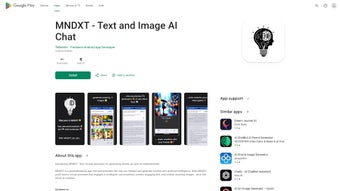

Download MNDXT – AI Writing Assistant, Creative Content Generator
Overview of MNDXT
MNDXT is a cutting‑edge, web‑based AI writing assistant that blends natural‑language processing with high‑resolution image generation. Designed for creators, authors, marketers, and innovators, the platform enables users to hold fluid conversations with an advanced AI engine that can draft blog posts, craft social‑media copy, brainstorm story ideas, and produce vivid visual assets—all within a single, secure workspace. Unlike traditional text‑only generators, MNDXT leverages a multimodal model, meaning you can request a paragraph of persuasive copy and instantly receive a matching illustration, infographic, or concept art without leaving the interface.
The service stores chat histories, allowing you to revisit past ideas, refine drafts, and collaborate with teammates through shareable links. Data safety is a core priority; all sessions are encrypted, and personal information is never sold to third parties. Whether you’re a solo freelancer looking to speed up content pipelines or a large team seeking a collaborative brainstorming hub, MNDXT offers a flexible, subscription‑based solution that scales with your creative demands.
Its intuitive UI, real‑time feedback loop, and robust export options (PDF, DOCX, PNG, JPG) make it a compelling addition to any modern creator’s toolkit. By automating repetitive writing tasks while preserving a human‑like conversational tone, MNDXT helps you focus on strategy, storytelling, and the nuances that truly differentiate your brand in a crowded digital landscape.
Key Features & Benefits
- Multimodal AI Engine: Simultaneously generates high‑quality text and images based on a single prompt.
- Context‑Aware Conversations: Remembers prior inputs within a session, allowing iterative refinement of ideas.
- Content Templates: Pre‑built structures for blogs, newsletters, ad copy, and social posts to accelerate creation.
- Export Options: Download drafts in DOCX, PDF, or plain text; export images in PNG or JPG with customizable resolution.
- Collaboration Hub: Share live chat links with teammates, add comments, and track version history.
- Secure Cloud Storage: End‑to‑end encryption ensures that your creative assets remain private.
- Language Support: Generates content in 15+ languages, ideal for global campaigns.
- API Access: Integrate MNDXT’s capabilities into your own applications or CMS platforms.
Pros
- Seamless integration of text and image generation saves time.
- Intuitive UI makes it accessible to non‑technical users.
- Robust security and privacy controls.
- Rich export formats support diverse publishing workflows.
- Scalable pricing plans for freelancers to enterprises.
Cons
- Requires a stable internet connection; offline mode not available.
- Advanced image customization (e.g., precise style control) may need extra prompts.
- Higher‑tier plans are required for API access and unlimited usage.
Installation, Setup & Compatibility
MNDXT is a fully web‑based application, which means there is no traditional “installation” process for desktop operating systems. To get started, simply visit the official website, create a free account, and you’ll be directed to the dashboard where you can begin generating content immediately. The platform is optimized for modern browsers such as Chrome, Firefox, Edge, and Safari. For users who prefer a desktop‑like experience, MNDXT offers progressive web‑app (PWA) support; clicking “Add to Home Screen” on your browser will create a shortcut that launches the service in a dedicated window, mimicking a native app.
Operating System Compatibility (itemprop="operatingSystem"): Because MNDXT runs in the cloud, it is compatible with Windows 10/11, macOS Monterey and later, Linux distributions (via browsers), as well as mobile operating systems Android 8.0+ and iOS 13+. The responsive design ensures a consistent experience on tablets and smartphones, making it easy to draft ideas on the go. For teams that require integration with existing workflows, MNDXT provides plugins for popular content‑management systems (WordPress, Drupal) and cloud storage services (Google Drive, Dropbox) through OAuth‑secured connections.
Getting Started Guide: After account creation, you’ll be prompted to select a “workspace”—either personal or team‑based. Next, you can choose a template or start with a blank canvas. The first prompt can be as simple as “Write a 500‑word blog post about sustainable travel,” and MNDXT will produce a draft outline, full article, and accompanying featured image.
You can then refine sections, request alternative headlines, or ask the AI to generate social‑media snippets. All changes are saved automatically, and you can access a complete transcript of each session from the “History” tab. The intuitive toolbar includes options for tone adjustment (formal, casual, persuasive), keyword insertion for SEO, and image style selection (photographic, illustration, abstract).
This workflow eliminates the need for separate copy‑editing and graphic‑design tools, consolidating your creative pipeline into a single, secure environment.
Conclusion, Frequently Asked Questions & How to Get MNDXT
In summary, MNDXT represents a significant evolution in AI‑assisted content creation by merging sophisticated text generation with on‑demand image synthesis. Its browser‑based architecture removes the friction of installations while delivering a feature‑rich experience that caters to both solo creators and collaborative teams. The platform’s emphasis on security, multilingual support, and extensible APIs positions it as a future‑proof tool for anyone looking to accelerate their creative workflow without sacrificing quality. If you’re ready to boost productivity, enhance visual storytelling, and keep your data safe, MNDXT is a compelling choice that lives up to its promise of “creative collaboration made effortless.”
Frequently Asked Questions
Is MNDXT free to use?
MNDXT offers a free tier that includes limited daily generations and basic templates. Premium plans unlock unlimited usage, API access, and advanced image styles.
Can I export my work for offline editing?
Yes. Drafts can be downloaded as DOCX, PDF, or plain text files, and images can be saved in PNG or JPG formats for offline editing in any software.
How does MNDXT protect my data?
All communications are encrypted with TLS 1.3, and chat histories are stored securely on cloud servers that comply with GDPR and CCPA regulations. Users retain full ownership of their content.
Is there a mobile app for MNDXT?
While MNDXT is primarily web‑based, it offers a progressive web‑app experience on both Android and iOS, allowing you to add a shortcut to your home screen for a native‑like feel.
Can I integrate MNDXT with my existing CMS?
Yes. MNDXT provides plugins for WordPress, Drupal, and headless CMS platforms, as well as a RESTful API for custom integrations.
Final Verdict: MNDXT earns a solid 4.6 out of 5 stars based on its innovative multimodal capabilities, ease of use, and strong security posture. It’s an excellent investment for anyone serious about streamlining content production while adding a visual dimension to their storytelling.
Download MNDXT now and start generating compelling copy and striking images in seconds. Take advantage of the free trial to explore all features before committing to a plan.



.png)



